Device inventory
Keep device details, agent connectivity, client and site organization, and operating context close to the work.

Bosun · Endpoint management by LabCMD
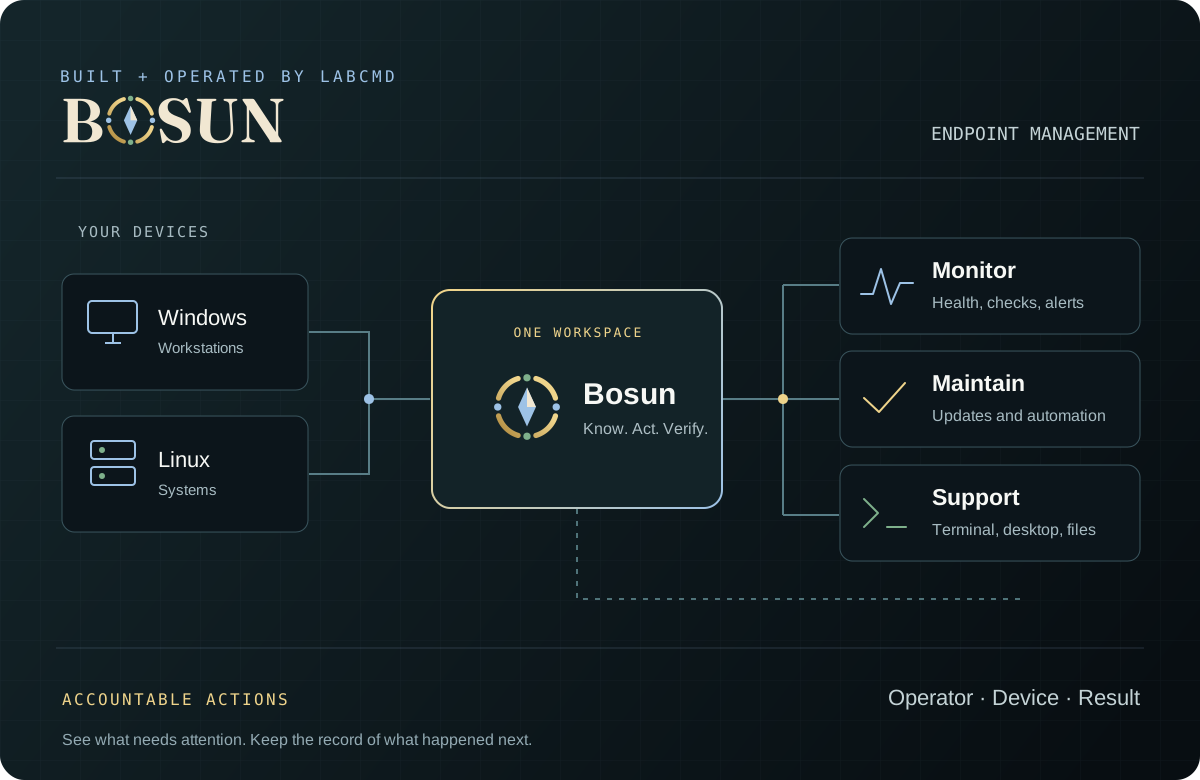
Know what needs attention across your devices. Bring monitoring, maintenance, automation, and remote support into one workspace, with a record of what happened next.
Windows & Linux agents Browser workspace
Built for the people responsible
Managing a fleet takes more than a list of computers. Bosun brings device context and the tools to act on it together, so technicians can investigate, maintain, and support the systems in their care.
Inside Bosun
Keep device details, agent connectivity, client and site organization, and operating context close to the work.
Use health checks, monitoring rules, and incident context to identify the devices and conditions that need attention.
Review patch decisions, organize policies and maintenance windows, and retain the results of installation work.
Version scripts, schedule work, and review fleet actions with controls for the devices and clients in scope.
Use terminal, desktop, and file tools from the selected device context, subject to platform support and operator permissions.
Keep client boundaries and operator identity attached to actions, with job history and results available for review.
A considered rollout
We’ll review your platforms, support needs, and existing tools, then agree on a practical way to evaluate Bosun.
Identify your devices, operating systems, required workflows, and the people who need access.
Use an agreed group of devices to check enrollment, monitoring, maintenance, and remote support.
Review the evidence and remaining requirements before expanding the rollout.
Let’s look at your fleet
Tell us about the devices you manage and the gaps in your current setup. We’ll walk through Bosun and where it fits.
Already using Bosun? Open your workspace or get support.